I Just Found the Coolest Way to Take Vintage Photo Booth-Style Selfies (for Free!)
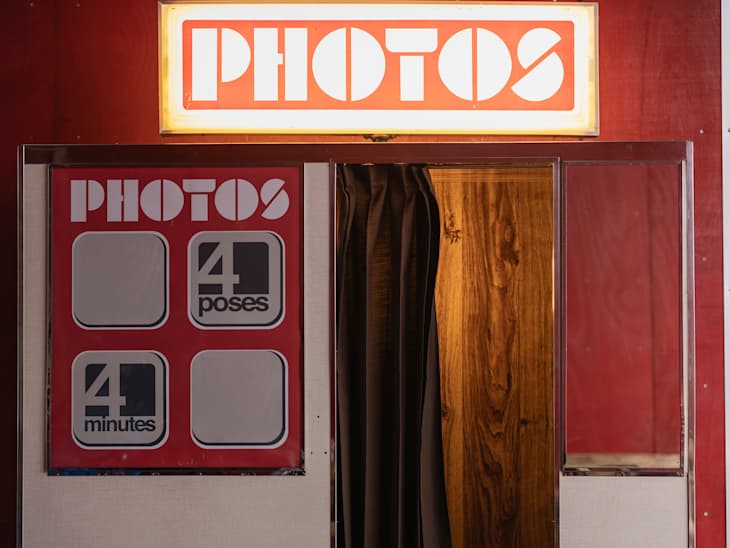
My Instagram and Pinterest feeds are filled with aesthetically pleasing photo booth pictures — and as much as I love the look of the photo strips, it’s not always easy to find a photo booth to take my own pictures. Usually, you just happen to see photo booths while you’re out (or maybe you know your favorite restaurant has one and go there), but however you go about it, it’s not as easy as taking a selfie on your phone. Plus, you have to pay for them. But you deserve to have the photo booth profile picture of your dreams — and luckily, after watching a recent viral TikTok video, I’ve found a website that replicates that vintage photo booth experience right from home for free.
TikTok user Rory (@roryschwall) posted the video showing off the coolest website that will totally upgrade your candid snaps. It’s called MySketchBooth, and it lets you take the cutest photo booth-style photos — straight from your phone or computer.
What Is MySketchBooth Online Vintage Photo Booth, and How Does It Work?
The website, mysketchbooth.com, is free to access on any browser, without any account registration required, and you can use it just as easily from your laptop or phone. The best part about the site is that it doesn’t just take a single photo of you — it gives you an entire photo booth experience with four separate photos in a photo strip.
Step One
When you open the homepage, you’ll be greeted by a photo booth doodle with a large “Enter” button on it. Click this to get started on your photoshoot.
Step Two
Once you’re in, you can choose to take new pictures or upload your own photos. First, there’s a toggle button that allows you to decide between a black-and-white or a color photo. Select the type of photo you want and then press either the “Take Photo” button or “Upload Photo” button in the center.
For a true photo booth experience, use the “Take Photo” option. A prompt will come up asking if the website can use your camera, which you’ll have to allow. Once you give it permission to use your computer’s or phone’s camera for the photo, a small light in the corner will turn from red to green to indicate that the camera is ready.
Step Three
Press the green button right below where it says “Start” on the left side of the screen, and then you’ll see a countdown before it takes your first photo. Try out different poses as you would in an actual photo booth, as the countdown timer will go off multiple times to take four photos in total. When you’re done, a printing graphic will show up, delivering your photos right to you. You have the choice to upload your photos straight to social media, download them, share a link to them, or print them. Pick whichever option you’d like, but if you just want to save them to your own camera roll, simply select the “Download” button.
If one of your photos didn’t come out the way you wished, or there’s only one that you *really* like, there’s a scissor button on the side that allows you to snip a picture off and download it by itself.
Step Four
If you’re already obsessed after your first trial or think you need a re-do of your pics, there’s also a restart button at the ending menu that allows you to do the process again — as many times as you’d like.
My Experience with MySketchBook Virtual Photo Booth
As soon as I got onto this site, I was hit with a total wave of nostalgia. The website’s simple design felt very reminiscent of the early internet I grew up with, when there were tons of sites dedicated to niche ideas like this one!
I had such a blast taking pictures, and I love that you get unlimited uses of the site for free. It’s such a great alternative to some of the trending photo booths around me, which average around $8 for two strips (I’ve seen them as expensive as $12!). I’ll definitely be using this whimsical website again with my friends and loved ones to get some fun, retro-looking pictures for my Instagram.